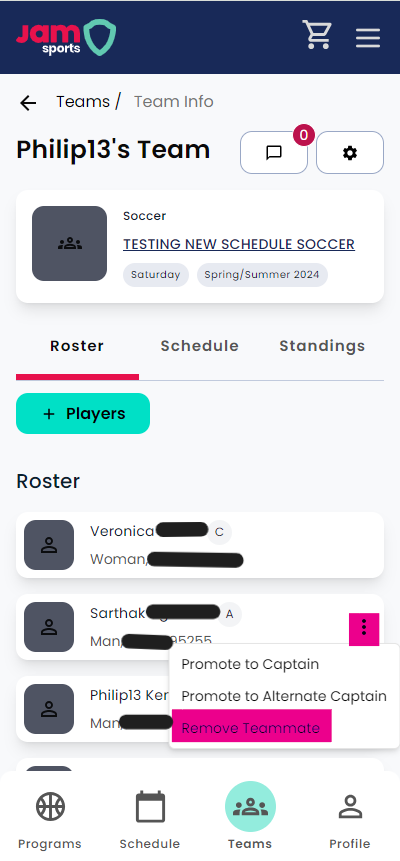

This action can only be done by the captain of a team registration. To complete this, captains can go to their team page, select the Roster tab, and click the three dots next to the player's name. From there, you will have the option to "remove player", as seen in the image below.